How Sales Tax Works on Downtown+
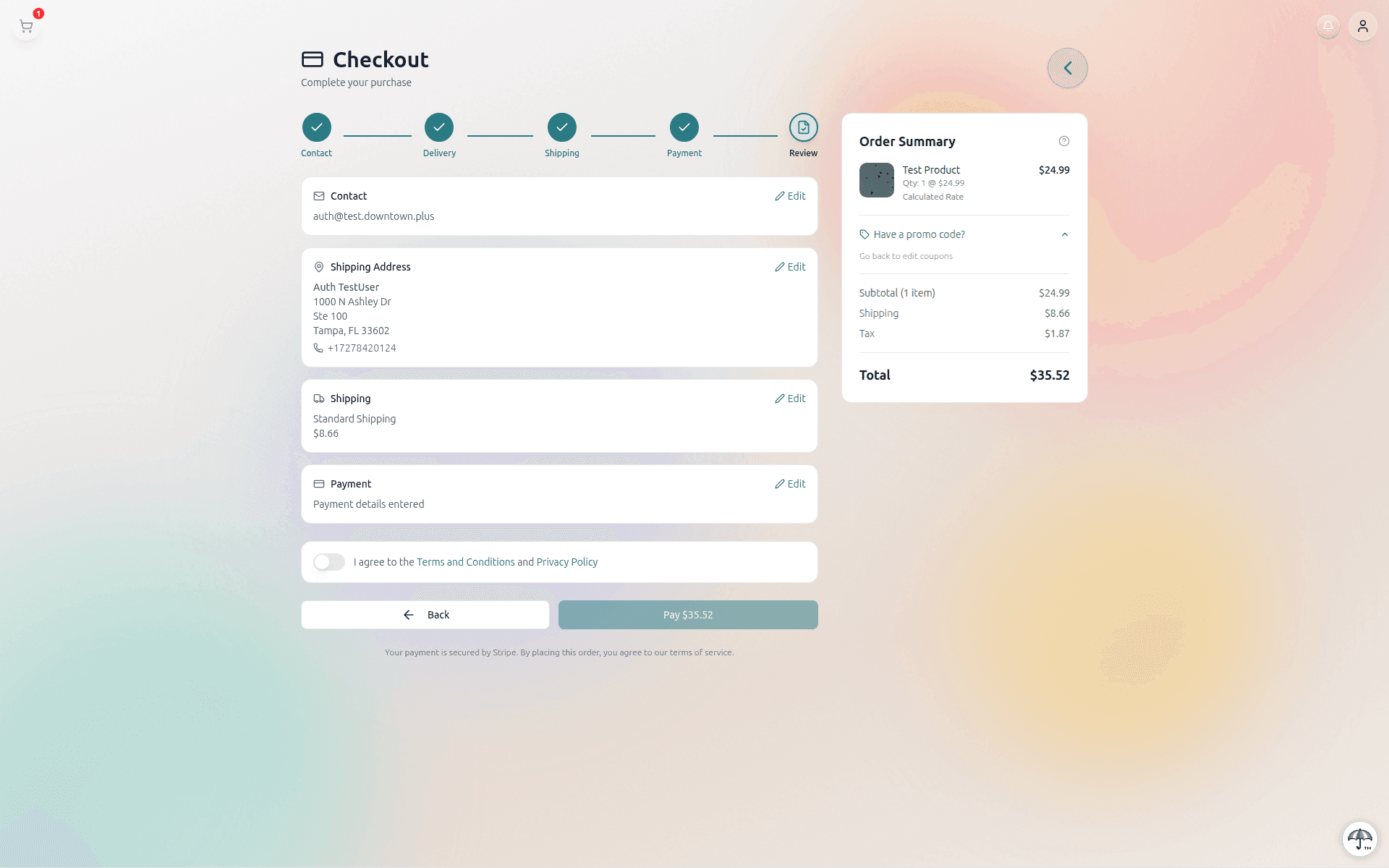
Whenever you check out on Downtown+, you may see a sales tax line on your order summary. Downtown+ acts as the marketplace, which means we calculate, collect, and remit sales tax on behalf of the vendors selling to you. The amount is determined automatically by your shipping address and the items in your cart, so there is nothing for you to configure.
Why a Tax Line Appears at Checkout
Most US states require online marketplaces to collect sales tax on behalf of their sellers. Downtown+ uses Stripe Tax to look up the correct rate for your delivery address, including any city, county, or special-district rates, and applies it to the items in your cart that are taxable in that jurisdiction. The tax line you see at checkout is the total of those calculations, shown to you before you confirm so there are no surprises.
Which States Are Covered
We collect sales tax in every US jurisdiction where Downtown+ is registered with Stripe Tax. Rates are calculated automatically per ZIP, city, and state and shown to you at checkout before you confirm. If your state, county, or city exempts certain product categories (for example, clothing in some states, or digital downloads in others), the exemption is applied automatically and you won't see tax on the lines that qualify.
What Happens to Tax on Refunds
Sales tax is always refunded with your purchase, in full, in the same proportion as the goods you returned. There is no separate tax-refund request. When a refund is issued, the corresponding tax is reversed in our records and returned to your payment method automatically. You do not need to contact us, file a separate claim, or wait for a different refund to land.
On partial refunds, the tax portion you get back reflects the tax actually paid on the specific items being refunded:
- Mixed-taxability orders — If your order combines items with different tax treatments (for example, a digital download alongside a physical product, or clothing alongside non-clothing items in a state that exempts clothing), Downtown+ refunds the exact tax paid on the items you got back, not a blended average.
- Single-tax-treatment orders — When every item is taxed the same way, the tax portion is refunded per-line based on the original Stripe Tax transaction and nets the same total.
No Restocking Fees, Ever
Downtown+ does not charge restocking fees, return fees, or any other deduction from your refund. You receive back exactly what you paid for the items returned, plus their per-line share of the sales tax you originally paid. Vendors on Downtown+ also cannot add their own restocking fees through the platform. The refund you see is the refund you get.
Where to See the Tax Total
The sales tax line appears in the order summary on the checkout page, on your confirmation email, and on your order detail page after the purchase. On a refund, the tax portion is shown on your refund receipt at Your orders → Return → Refund so you can verify the exact amount that was reversed.
Questions About Tax
For more on how returns and refunds work, see the Returns & Refundsguide. If you think the tax on your order looks wrong, contact us through the order page and we'll trace it back to the exact Stripe Tax calculation for your address.