Create an Individual Profile
If you work independently (freelance, consulting, art, or any service), you can create a profile to reach local clients and connect with the community.
Who Should Create One?
- Freelancers and consultants
- Local artists and craftspeople
- Service providers
- Community leaders and advocates
Verification Required
Individual profiles require a verification subscription to be publicly visible. Your profile won't appear in search or directories until you subscribe. See Get Verified.
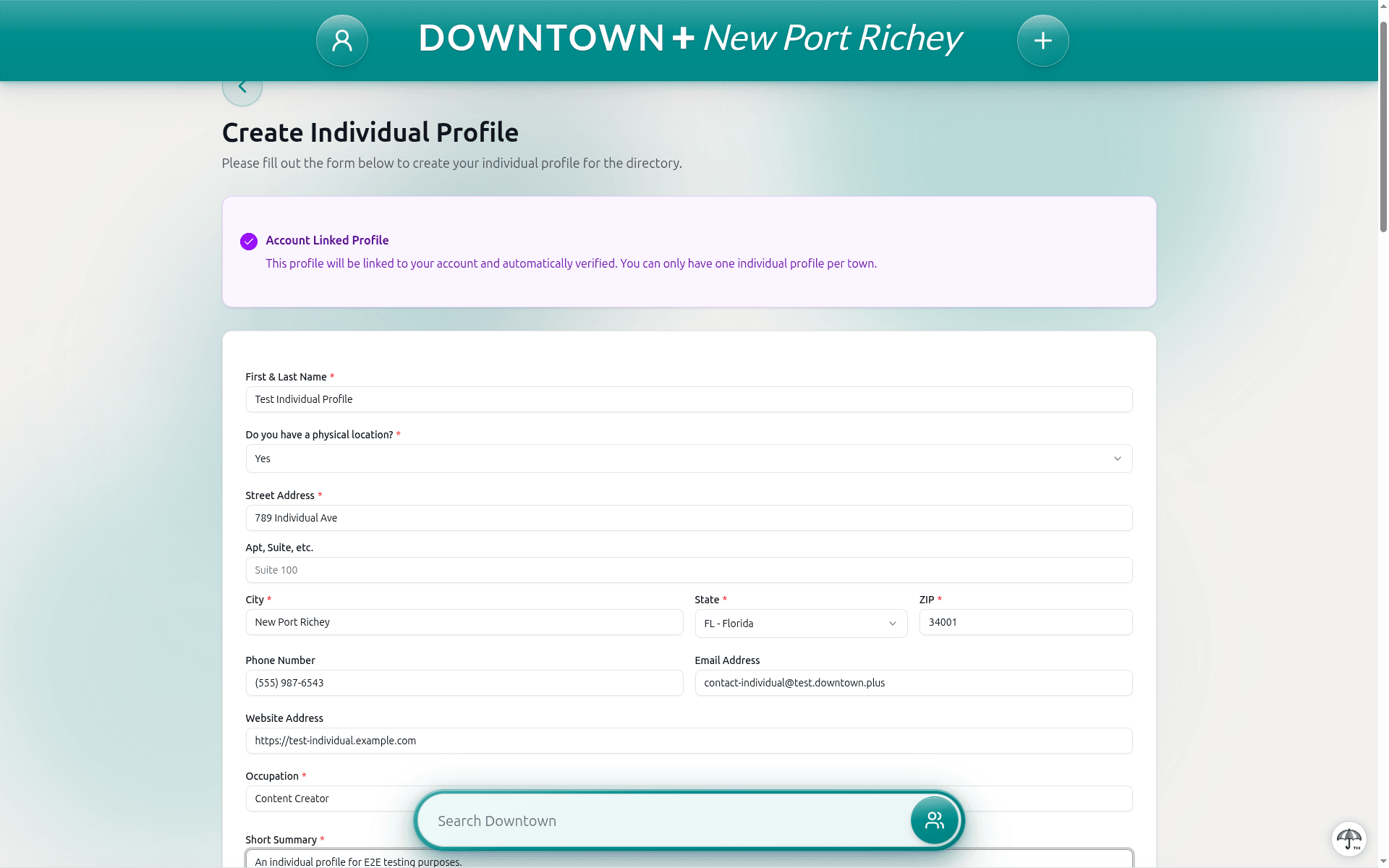
Creating Your Profile
- From your Dashboard, click "Add Profile" and select Individual Profile
- Enter your first and last name, occupation, and a short summary (up to 100 characters). Short descriptions cannot contain URLs, email addresses, phone numbers, or social media handles. Use the dedicated contact and social fields for those.
- Write a detailed personal bio using the rich text editor (up to 2000 characters)
- Add contact details: phone, email, and website
- Set your physical location (if applicable) or indicate that you travel to customers
- Pick one category that best describes your work: Food & Dining, Arts & Culture, Hospitality, Retail, Entertainment, Services, Health & Wellness, or Public Services. Your profile also appears under the "People" category automatically.
- Set your availability hours
- Add social media links and a personal video introduction
- Upload a cover image (a wide banner across the top of your profile) and a profile photo (your circular avatar). Add up to 7 gallery images. If you skip the cover, your profile photo becomes the banner instead.
- Submit for review
You can create one individual profile per downtown. After submission, you'll need to subscribe to verification for your profile to become publicly visible.