Claim a Business Profile
Already see your business on Downtown+ but don't have access to manage it? You can claim ownership of an existing profile.
Why Claim Your Profile?
- Update business information anytime
- Host events and post deals
- Respond to community activity
- Access analytics and insights
- Apply for verification
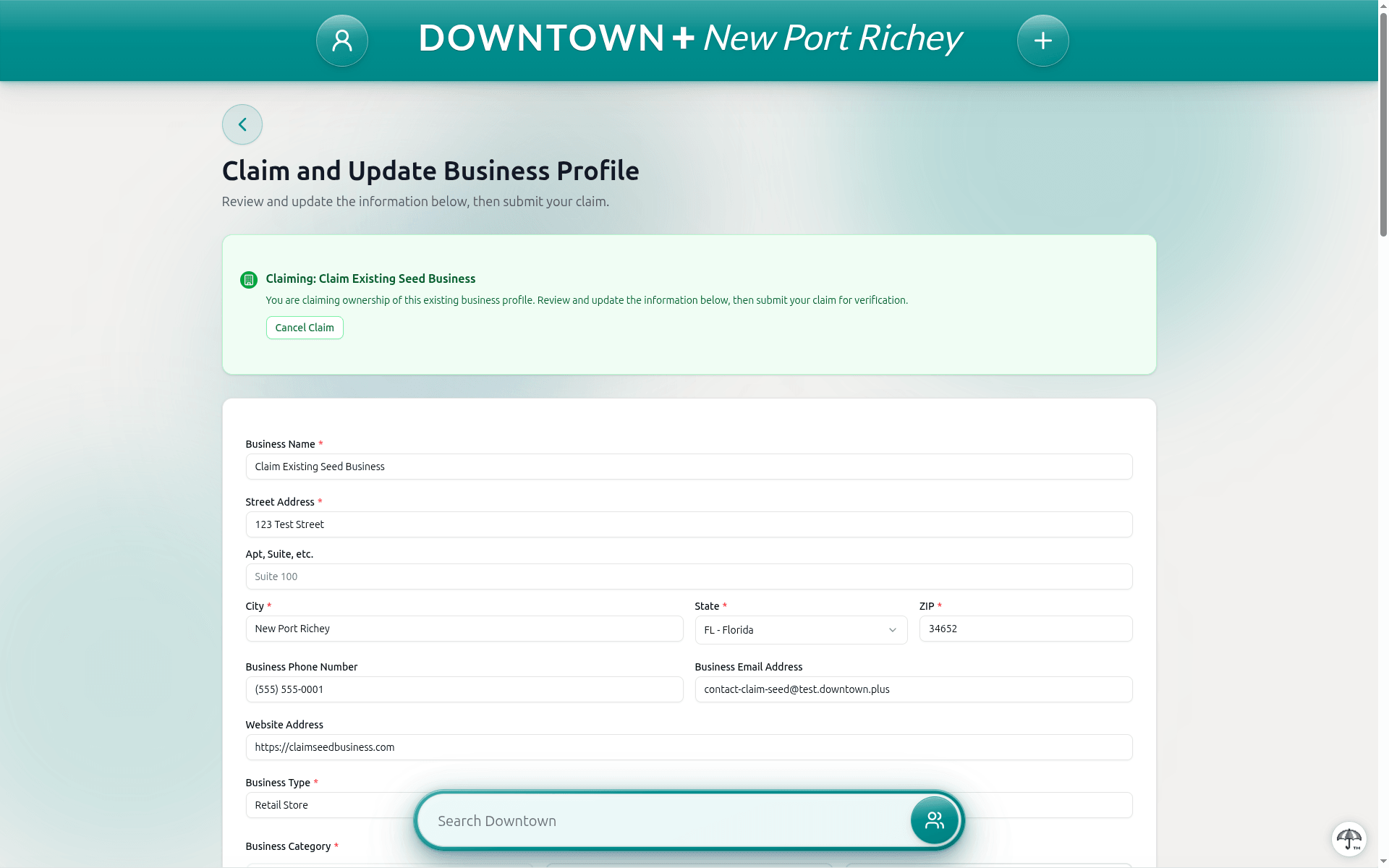
How to Claim
- Find your business profile on Downtown+
- Click "Claim This Business"
- Sign in or create an account
- Provide any two verification methods from the list on the claim form
- Confirm the business address is within the downtown's service area. The form checks the ZIP code and will let you know if it doesn't match
- Your claim will be reviewed by the Downtown+ team
Ways to Verify
A business claim needs two verification methods. Pick whichever two are easiest for you.
- Government-issued photo ID or license. Upload a photo. Reviewed by our team.
- Articles of incorporation. Upload the registration document naming you on the business. Reviewed by our team.
- A connected Stripe account. Connect an account Stripe has already verified and we check it instantly. No upload.
Connecting Stripe means one upload instead of two. It also carries straight over to your selling setup once the claim is approved, so you do not connect it twice.