Post an Event
Share community events, workshops, grand openings, and gatherings with your downtown community.
How to Post
- From your Dashboard, click "Add Event"
- Enter the event name, a short description (up to 100 characters), and category. Short descriptions cannot contain URLs, email addresses, phone numbers, or social media handles.
- Write a detailed description using the rich text editor
- Set the date, time, and location
- Add recurrence if it's a repeating event
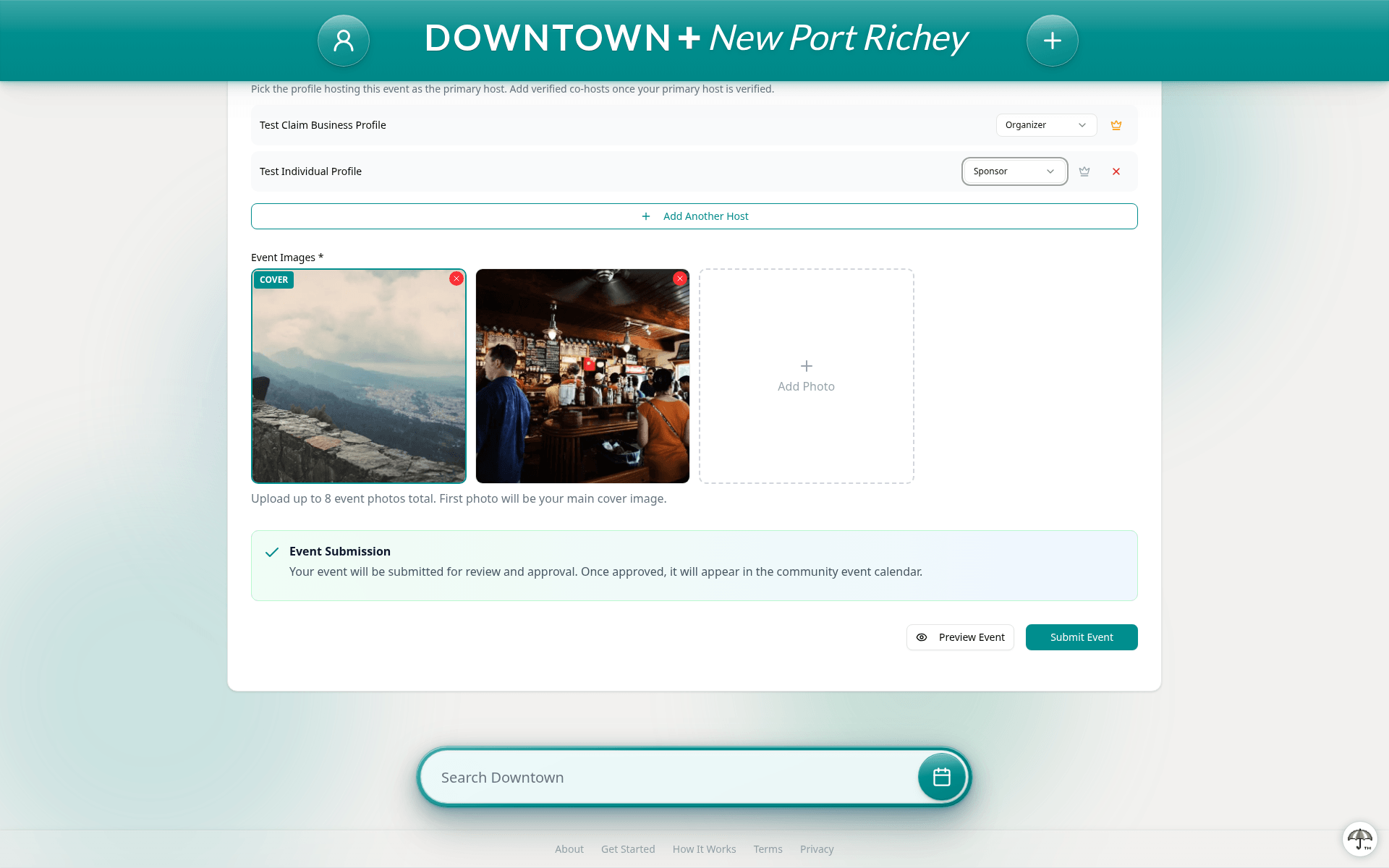
- Choose the profile hosting the event as the primary host. This is a business you've claimed or your verified individual profile. Once your primary host is verified, you can add co-hosts and assign each host a role (Organizer, Co-Organizer, Sponsor, Venue, Speaker, or Performer)
- Optionally add tags, an RSVP link, and a video link
- Upload a cover image and up to 7 gallery images
- Submit for review
Hosts and Roles
Every event needs a primary host: a profile you own. That's a business you've claimed and had approved, or your verified individual profile. You need one of these to post an event. The first host you add becomes the primary host, marked with a crown. You can change which host is primary by clicking the crown next to any host.
Co-hosts are the businesses and creators you tag who don't belong to you. They're a verified feature. Your primary host must be verified before you can add co-hosts, and every co-host must be a verified profile too. A free profile can still host its own event. It just can't add co-hosts until it verifies.
Each host gets a role that describes their relationship to the event.
- Organizer — The main person or business running the event
- Co-Organizer — Helping organize alongside the primary host
- Sponsor — Providing financial or material support
- Venue — The location hosting the event
- Speaker — Presenting or leading a session
- Performer — Performing music, art, or entertainment