Post Deals & Promotions
Attract new customers and reward loyal ones by posting deals and special offers.
Requirements
You post deals from a profile you own. A business profile can post deals on the free tier. An individual profile needs to be verified first.
How many deals you can keep running at once depends on your tier. A free business profile gets 1, verified gets 10, and Pro gets 20. A verified individual profile gets 5, or 15 on Pro.
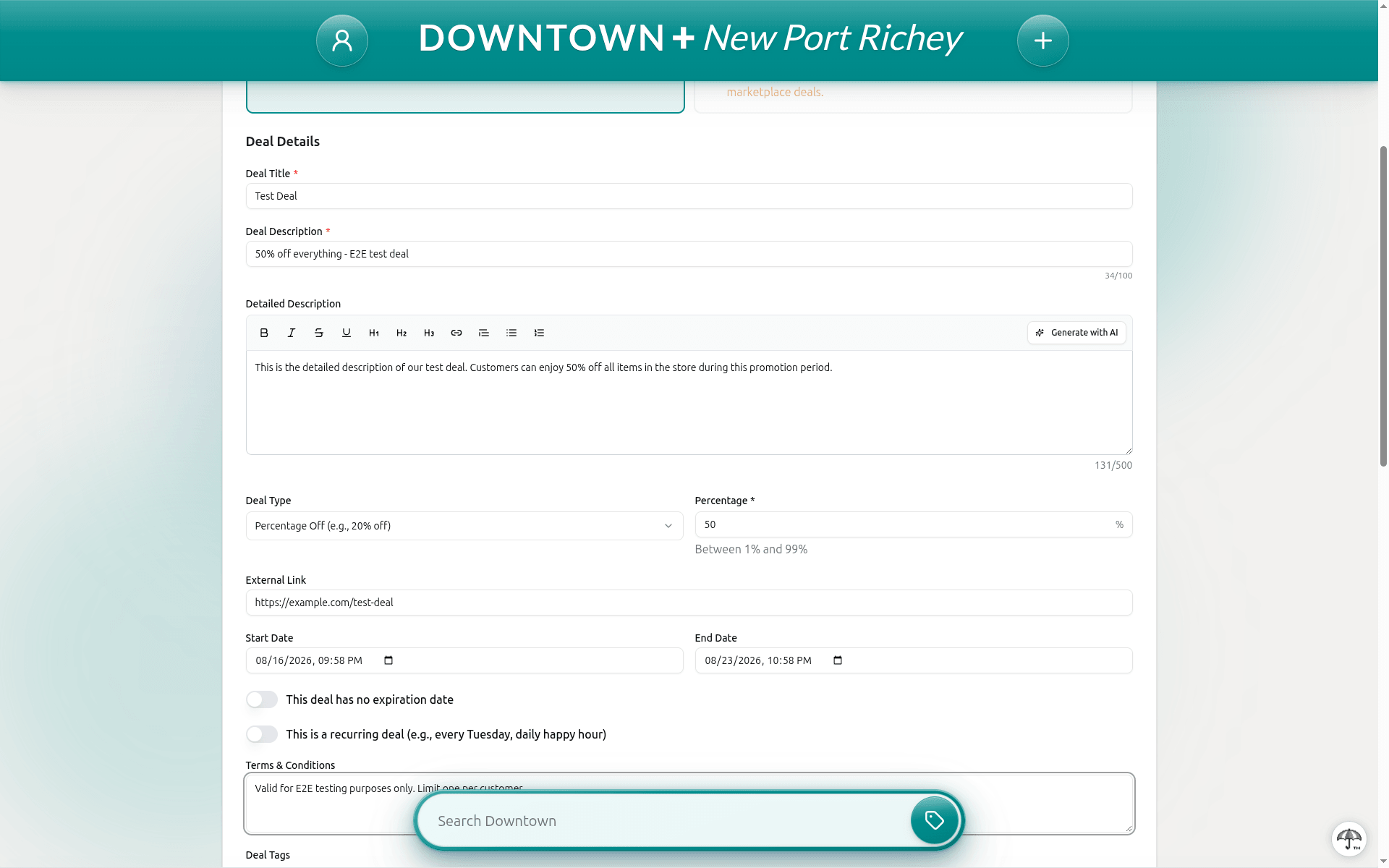
Creating a Deal
- From your Dashboard, click "Post Deal"
- Enter the deal title, description (up to 100 characters), and choose a type: Percentage Off, Fixed Amount Off, Buy One Get One, Special Price, or Other. Short descriptions cannot contain URLs, email addresses, phone numbers, or social media handles. Use the dedicated fields for contact info.
- Set start and end dates
- Add any terms or conditions
- Upload an image
- Submit for review
Marketplace Deals
If your business has Stripe Connect set up, you can create marketplace deals with coupon codes that customers enter at checkout. Available types:
- Percentage Off — e.g., 20% off (max 50% for marketplace)
- Fixed Amount Off — e.g., $5 off your order
- Buy One Get One — buy one of selected products, get one free
- Free Shipping — waives shipping on orders over a minimum amount you set (e.g., free shipping on orders over $50)
You can also set a Uses Per Customer limit to control how many times each customer can redeem your coupon (defaults to 1).
Variant-Level Targeting
When a marketplace deal uses the Specific Products scope, products with variants now show a variant selector. By default, All Variants is selected, so the deal applies to every variant of that product (same behavior as before).
Choose Specific Variants to pick exactly which variants qualify for the discount. Only those variants will receive the coupon at checkout.
- All Variants (default) — the deal covers every variant of the selected product
- Specific Variants — only the variants you choose qualify for the discount
If a product's variants are later changed (for example, new sizes or colors are added and old ones removed), any variant-level targeting for that product is automatically cleared. You'll need to re-select the variants in your deal settings.
Tips
- Clear, specific deal descriptions perform best
- Include the discount amount or percentage
- Set reasonable date ranges
- Use eye-catching images