Getting Started
Here's how to set up your account and start using Downtown+.
Creating an Account
Start at /jointo learn what Downtown+ offers for shoppers, professionals, and business owners. When you're ready, visit any downtown's contribute page to see two options:
- Sign In — For existing users
- Join Community — Create a new account with email/password or Google
When signing up, provide your first name, last name, email, and a password (minimum 6 characters). You'll receive a 6-digit verification code by email. Enter it to activate your account.
Your Dashboard
Once signed in, your Dashboard is your home base. It has sections for:
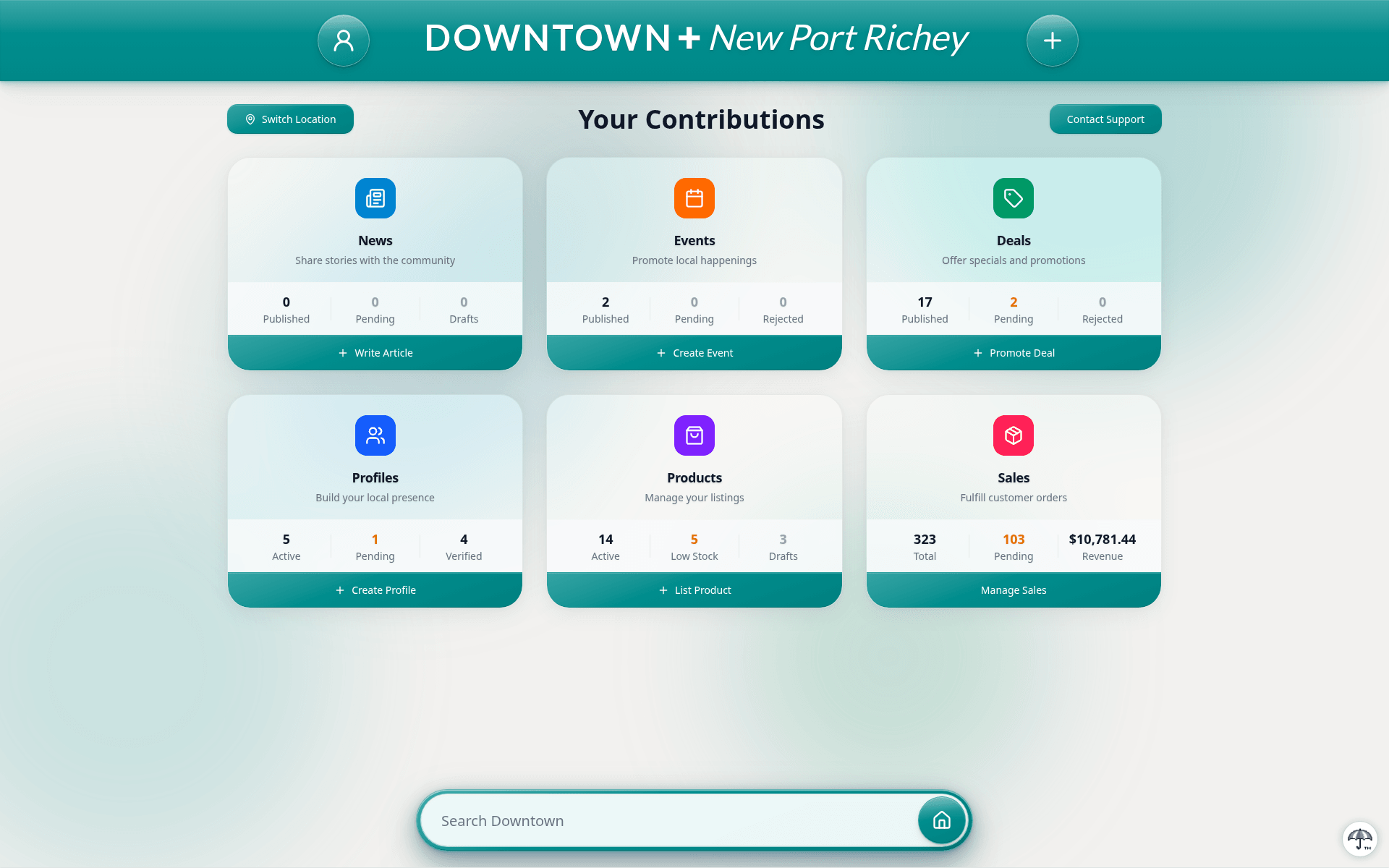
- News — Add and manage news articles
- Events — Post and track community events
- Deals — Add and manage deals/special offers
- Profiles — Create business or individual profiles
Each card shows your contribution count and status indicators for pending or rejected submissions.
Account Settings
Access settings from your Dashboard to update your name, email, password, manage notification preferences, or delete your account.